


Pandalive - Video Chat
4.4558.00 Reviews
App Specs
- Version
- 1.0.149
- Updated On
- License
- Free
- Downloads
- 5,000,000+
- Developer
- Spike Limited
- Categories
- Social
- Platform
- Android
Screenshots

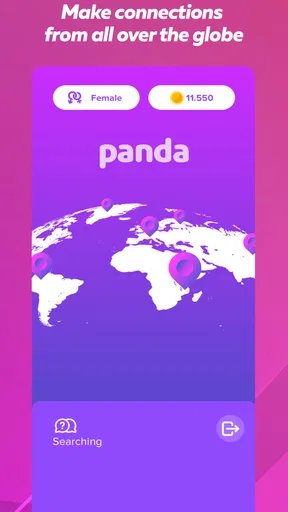


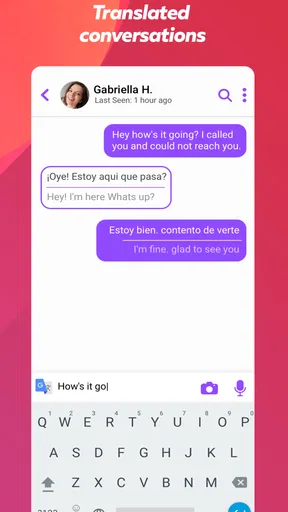


 Analysis by AppCompare
I approached Pandalive - Video Chat as someone looking for a more immediate way to meet people online, rather than another feed to scroll through. It is a free social app from Spike Limited, built around video chat and casual encounters with new people. That focus makes it feel more direct than text-first communities, but it also means the experience depends heavily on your comfort with appearing on camera and dealing with unpredictable conversations.
After spending time with it, my view is fairly simple: Pandalive can be enjoyable when I want spontaneous human interaction, but it is not the app I would choose for carefully managed networking, private conversations with known contacts, or a quiet social experience. The best results come from treating it as an open-ended meeting place, setting boundaries before starting, and being willing to leave quickly when a conversation feels uncomfortable.
From wanting company to starting a conversation
The starting condition matters more here than it does with many ordinary social apps. If I open a messaging app, I usually already know who I want to contact. With Pandalive, I am beginning with a broader intention: I want to meet someone new, talk for a while, and see whether the interaction develops naturally. That makes the app a better fit for spontaneous downtime than for a specific communication task.
The store presents it as a way to video chat and meet people, and that description matches the central idea without pretending it is a full replacement for every social platform. I would use it when I have a few uninterrupted minutes, a reasonably private place, and enough energy to participate rather than passively browse. If I am tired, distracted, or not ready to be seen on camera, the format loses much of its appeal.
One practical detail I would not overlook is the mature audience designation. The app is marked Mature 17+, so I would not treat it as a general family-friendly space or hand it to a younger teenager. That rating is also a useful reminder that users should approach conversations with adult-level caution: do not share identifying details too quickly, do not assume a stranger is who they claim to be, and end an exchange when the tone crosses a line.
The audience size suggests that finding people is not the main challenge. Pandalive has passed five million installs and holds a 4.4 average from around eighteen thousand ratings. Those figures make it look established enough to have an active user base, although they cannot guarantee that every session will feel equally busy or that every conversation will be a good match.
The first few minutes set the tone
My advice is to decide what a successful session means before opening the app. For me, that might be one pleasant conversation, a brief exchange with someone from a different background, or simply testing whether the format feels comfortable. Without that small goal, it is easy to judge the whole service by one awkward interaction.
Worth Reading Before You Choose

EA SPORTS FC Mobile 26 Is a Bigger Football Game, but It Takes Time

Flipboard Shows What News Apps Must Do Beyond the Feed

Switching to Android Auto Means Rethinking Your Driving Routine

Google Calendar Makes a Crowded Week Easier to Manage

Ludo King Makes the Most of the Minutes Between Plans

Baby Panda World Brings Quick Play to Modern Phones, but Its Game Library Feels Busy
I would also prepare the surroundings. Video chat exposes more than text does, including background details, facial expressions, and the possibility of being overheard. A neutral setting helps keep personal information private. I would avoid displaying work badges, school items, mail, travel documents, or anything else that reveals where I live or spend time.
This preparation is one of the less obvious trade-offs. The app can make meeting people feel immediate, but immediacy removes some of the buffer that text messaging provides. In a text-based community, I can think before replying and decide how much of myself to reveal. Here, the first impression happens faster, so a little planning improves the experience without making it feel formal.
Moving through the core experience
Once I begin, I treat each interaction as a short first meeting rather than an obligation to continue. A simple opening question works better than trying to perform or impress. I might ask what brought the person to the app, what they usually enjoy discussing, or how their day is going. The point is not to force intimacy; it is to discover quickly whether there is a comfortable reason to keep talking.
That approach also helps with pacing. A video conversation can become intense when both people jump directly into personal subjects. I prefer to begin with ordinary topics, listen for reciprocity, and let the other person decide how much they want to share. If the exchange remains one-sided, repetitive, or uncomfortable, I do not consider leaving a failure. Ending a poor match is part of using an open social service sensibly.
A useful workflow is to separate curiosity from trust. I can be interested in someone’s opinions, humor, or background without giving them my real-world contact details. I would avoid sharing my full name, address, workplace, school, daily routine, financial information, or private social accounts during an early conversation. If a person pressures me for those details, that is a clear reason to disengage.
The same rule applies to images and requests that move the conversation away from ordinary chat. A stranger’s confidence, friendliness, or apparent familiarity is not proof of identity. I would never send money, accept an urgent financial story at face value, or allow a conversation to push me into something I did not intend to do. These are not drawbacks unique to Pandalive, but video-based meeting apps make them especially important because the interaction feels personal very quickly.
Managing the handoff from stranger to ongoing contact
The most important handoff is the moment when a casual in-app conversation starts becoming a continuing relationship. I would not rush this step. A good first exchange is only evidence that the conversation was pleasant once; it is not evidence that the person is trustworthy, compatible, or safe to contact elsewhere.
If I decide to continue talking, I would keep the next interaction within the app for a while and maintain the same boundaries. That gives me time to notice whether the person respects a delayed reply, accepts a change of subject, and responds normally when I say no. Those small behaviors tell me more than an impressive introduction does.
There is also a social handoff between the app and everyday life. Someone may suggest moving to a familiar messaging service because it feels more convenient, but doing so can expose a profile, phone number, username, or network of contacts. I would use a separate account if I ever chose to continue outside the app, and only after deciding that the benefit was worth the additional exposure.
For users who want to meet people around a shared interest, this is where Pandalive may feel less precise than a specialized community. A hobby forum, group chat, or interest-based network gives the conversation a built-in subject and often makes it easier to judge compatibility before speaking. Pandalive’s advantage is spontaneity; its cost is that I may need to create the conversational structure myself.
How Pandalive compares with familiar alternatives
Compared with ordinary social feeds, Pandalive gets to direct interaction more quickly. A feed can keep me entertained without requiring a real exchange, while this app asks me to participate. That is valuable when I am specifically looking for conversation, but less convenient when I only want to browse casually or catch up with people I already know.
Compared with messaging platforms, it is more discovery-oriented. Messaging apps are excellent once I have an established contact, but they do not usually solve the problem of meeting someone new. Pandalive fills that gap, although the unknown-person format brings more uncertainty and requires stronger personal boundaries.
Compared with structured dating or interest-based services, the experience appears broader and less dependent on a carefully completed profile. That can make encounters feel less rehearsed, but it also reduces the amount of context I have before starting a conversation. If I need clear filters, detailed compatibility information, or a well-defined purpose, another category of app may serve me better.
The comparison is not simply about which platform has more features. It is about the kind of handoff I want. Pandalive moves me from discovery to live conversation quickly. A forum moves me from shared topic to gradual familiarity. A conventional messenger moves me from known contact to reliable communication. Choosing between them depends on whether I value immediacy, context, or control most.
A realistic everyday scenario
Imagine I have finished work, have a short break before dinner, and want company without arranging a call with a friend. I open Pandalive from a quiet room, keep the camera view free of personal documents, and begin with the expectation that the first conversation may be brief. The person I meet is friendly but not especially talkative, so I ask a couple of light questions instead of forcing the exchange.
After a few minutes, the conversation becomes easier because we find a shared interest. I still avoid giving my location or moving immediately to another service. When the chat naturally slows down, I end it politely rather than stretching it until it becomes awkward. The result is modest but worthwhile: I had a real interaction during an otherwise empty part of the day, and I retained control over how much personal information I shared.
That scenario captures the app’s strongest use case. It is not necessarily about finding a lifelong friend in one session. It is about creating an opportunity for an unexpected conversation. Users who appreciate small, unplanned social moments may find that refreshing. Users who expect every session to produce a meaningful connection may become disappointed quickly.
Where the flow becomes uncomfortable
The main friction is the unpredictability of strangers. Even when the app connects me with someone quickly, speed does not equal quality. Some conversations may end almost immediately, while others may feel mismatched because of different communication styles, interests, or expectations. I need to be comfortable with a certain amount of trial and error.
Video itself can also be tiring. It demands attention in a way that text does not, and it can make a short exchange feel more exposed. People who dislike being on camera, have limited privacy at home, or prefer to compose thoughtful messages may find the format stressful rather than social.
Another point of friction is the possibility of commercial pressure. The app is free to download, but it includes in-app purchases ranging from forty-nine cents to two hundred seventy-nine dollars per item. I would be especially careful here: before buying anything, I would check exactly what the purchase provides, whether it is genuinely necessary for the way I plan to use the app, and whether the amount fits my budget. A free entry point does not mean every part of the experience is cost-free.
This is also why I would avoid making a purchase during an exciting or emotionally charged conversation. Live interaction can make spending feel like part of the moment. I prefer to pause, review the purchase screen, and decide later. If I only want occasional conversations, I would first use the free experience long enough to learn whether the app belongs in my routine.
Device compatibility and practical expectations
The Android release requires Android eight or later, and the current version is 1.0.149. That makes checking the operating system worthwhile before troubleshooting anything else. If the app does not behave as expected, I would first update the operating system where possible, confirm that the app itself is current, and test the connection in a stable environment.
I would also remember that video quality is not the only measure of a successful session. A clear enough picture and understandable audio matter, but the conversation still depends on mutual effort. If the other person is distracted, the connection is poor, or the interaction feels unsafe, technical adjustments will not solve the underlying problem.
Spike Limited has positioned the app in the social category rather than as a productivity or communication utility for existing contacts. That distinction helps set expectations. I would not use it for an important appointment, a professional meeting, or a private discussion involving sensitive information. Its value is casual discovery, not dependable formal communication.
Who will enjoy it, and who should skip it
I think Pandalive is best for adults who are curious about spontaneous video conversations and can handle uncertain outcomes without taking every interaction personally. It may suit someone who has moved to a new place, wants low-commitment social contact, or enjoys hearing from people outside their usual circle. It can also work for a user who finds text-based discovery too passive.
I would recommend skipping it if you need a tightly moderated, topic-specific environment, if you are uncomfortable appearing on camera, or if you are looking for a tool to communicate only with friends and family. People who struggle to set boundaries with strangers should also choose a more controlled platform. The mature rating and open-ended format make personal judgment part of the product experience.
Parents should not treat the age label as a substitute for conversation about online safety. A teenager who is close to the stated age threshold may still need guidance about identity, privacy, unwanted requests, and spending. For younger children, I would choose a service designed specifically for supervised communication instead.
My final assessment after following the full workflow
From the initial desire for company to the decision about whether to continue a conversation, Pandalive offers a clear but demanding path: start openly, communicate carefully, decide whether the interaction deserves more time, and keep control of the handoff. Its appeal is the speed of reaching a live human conversation. Its weakness is that the same speed leaves less room to evaluate context before becoming visible to a stranger.
The app’s free starting point and established audience make it easy to try, while the 4.4 average from around eighteen thousand ratings suggests that many users find the concept worthwhile. I would still judge it by my own habits rather than by popularity. The experience works when I approach it with realistic expectations, protect my privacy, and remember that leaving is always a valid outcome.
My recommendation is cautious but positive: try Pandalive if spontaneous video chat genuinely appeals to you, begin without spending money, and use short sessions to learn whether the atmosphere suits you. If you want structured communities, known contacts, or maximum control over who can reach you, a more specialized alternative will probably be the better choice.
Pros
- Quick video matching with users from different countries.
- Simple interface makes starting conversations easy.
- Useful filters help narrow down potential chat partners.
- In-app tools support casual
- spontaneous conversations.
- Live interaction can feel more personal than text-only apps.
Cons
- Some features may require coins or additional in-app purchases.
- User experience can vary depending on the availability of online users.
- Unwanted messages or inappropriate behavior may occasionally occur.
- Video chats can consume significant mobile data and battery.
- Privacy settings should be checked carefully before sharing personal details.
FAQs for Pandalive - Video Chat
What is Pandalive - Video Chat, and what can I do with it?
Pandalive - Video Chat is a social communication app designed for meeting people through video and live interactions. After creating a profile, users can browse other members, start conversations, and potentially join video chats or live sessions. The experience focuses on spontaneous social discovery, so available features may depend on your location, account status, and the current version of the app.
Is Pandalive - Video Chat free to download and use?
The app can generally be downloaded without an upfront charge, but some communication or entertainment features may require in-app purchases, virtual credits, subscriptions, or other paid options. Before using premium functions, check the pricing shown inside the app and review the payment terms in Google Play or the App Store. Charges can vary by country and platform.
Do I need to create an account to use Pandalive?
Most of the app’s social and video-chat functions require registration so that profiles, conversations, preferences, and account settings can be managed properly. Depending on the available sign-in methods, you may be able to register with an email address, phone number, or supported social account. Use accurate information, choose a strong password, and review the privacy settings before interacting with other users.
Is Pandalive - Video Chat safe for meeting strangers online?
As with any app that connects you with unfamiliar people, safety depends on how carefully you use it. Avoid sharing your address, financial information, passwords, private documents, or intimate content. Use blocking and reporting tools when available, leave uncomfortable conversations immediately, and be cautious of users requesting money or moving chats to another platform. Parents should also supervise younger users.
Does Pandalive support video calls on both Android and iPhone?
Pandalive is intended for mobile social communication, but the exact availability of video calling, live features, and supported devices can change with updates. Install the version listed for your operating system and check the app’s current store description for compatibility. A stable internet connection, microphone, camera permissions, and sufficient device performance are normally required for smooth video interactions.


